Upland Assist
Upland Assist is a Gen AI powered search feature that enables users to quickly find relevant documentation from the Help Center and Community using natural language queries. It eliminates the need for manual navigation or keyword searches by understanding your query and showing relevant results.
Upland Assist remains accessible across the application, allowing you to navigate to any page or feature while the Assist screen continues to be available. If you close it without clearing the search, your previous search and results will remain visible the next time you open it.
To access Upland Assist:
-
Navigate to the top panel of the dashboard and click the Upland Assist
 icon.
icon.The Upland Assist modal opens within the application.
-
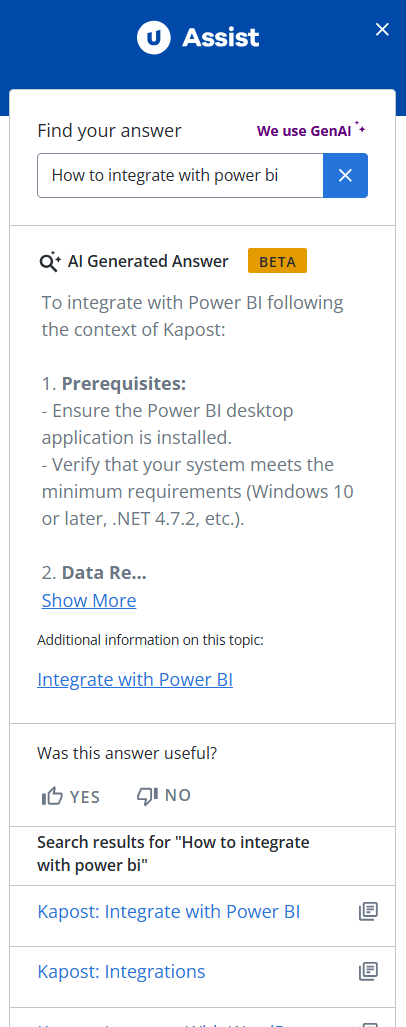
Enter a natural language query in the search field and press Enter.
-
Review the AI generated answers displayed in the modal.
Alternatively, select any of the recommended documents by scrolling down.
-
Click a result to view it within the modal or open it in a new tab.
Tip: Clicking View More Results will display additional relevant documents.
-
Click X to close the upland assist modal.